
✏️
Edit PDF text
Click any line to change it, or add new text anywhere on the page.
Edit a PDF →Edit text, redact, sign, fill forms, merge and split PDFs right in your browser. No sign-up, no watermark, no paywall.
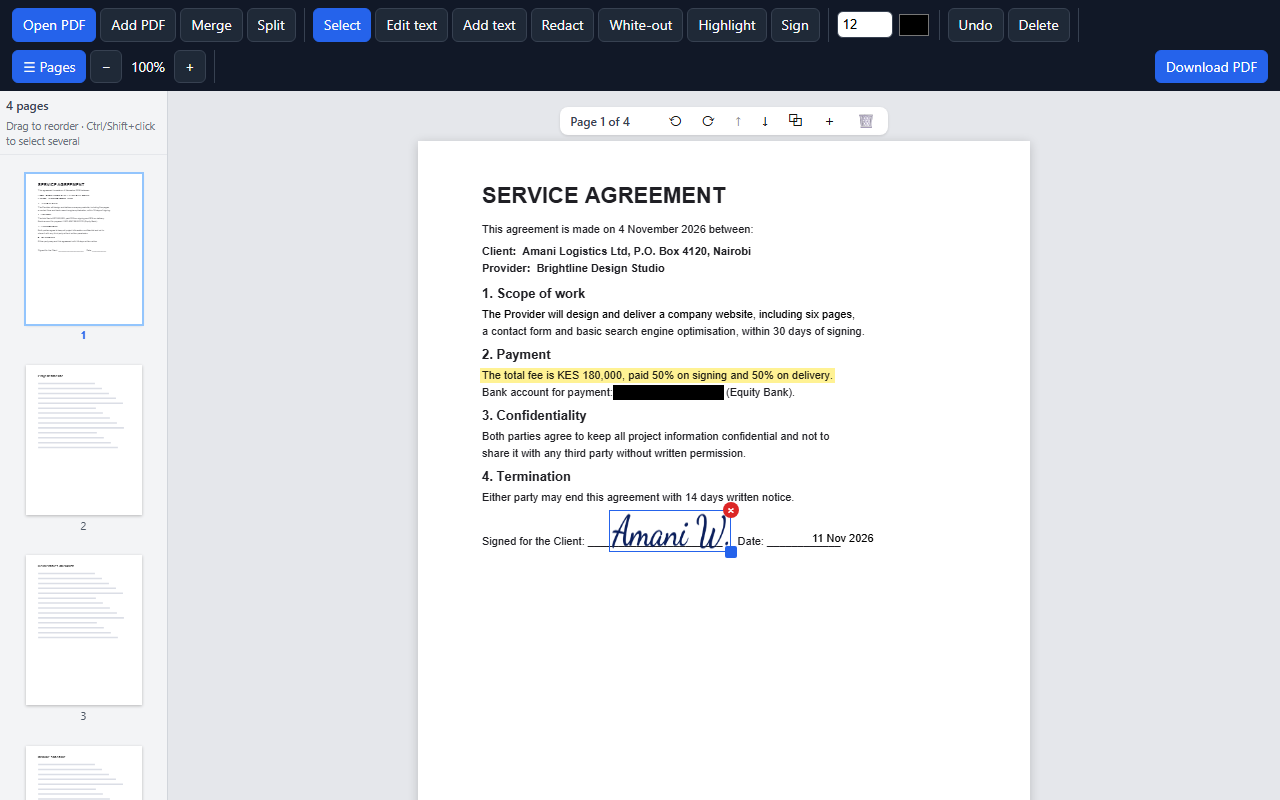
Most PDF editors make you pay for the basics. You open a document, try to black out a line, fix a typo or add your signature, and a paywall pops up. Or the "free" tool wants you to upload a private contract to its servers first.
I kept hitting the same problem, so I built my own: a PDF editor that's genuinely free and keeps your documents on your own computer. That's why it's called PDFbure: bure is Swahili for free. If you're stuck on the same thing, it's yours to use. Share it with anyone who needs it.
All tools are free, with no limits on file size or number of pages.
Click any line to change it, or add new text anywhere on the page.
Edit a PDF →Black out names, numbers or anything private. The content is permanently removed, not just covered.
Redact a PDF →Draw your signature or type your name, then place it on the page. It's saved for next time.
Sign a PDF →Type into text boxes, tick checkboxes and pick options. Keep the form fillable or lock your answers in.
Fill a form →Combine several PDFs into one, in the order you choose.
Merge PDFs →Save page ranges, every few pages, or every page as its own file.
Split a PDF →Drag thumbnails to reorder. Rotate, duplicate, delete, or insert blank pages.
Mark important text in yellow or cover mistakes with white.
No installing, no account. Three steps and you're done.
Drag a PDF onto the editor or click “Open PDF”.
Edit, redact, sign, fill in forms, or merge and split pages.
Click “Download PDF”. You get a normal PDF that opens anywhere.
Most online PDF tools send your file to their servers. This one doesn't, because it doesn't have to.
Don't take our word for it. Open the editor, then switch off your Wi-Fi. Everything still works, because there's nothing to upload.
Nothing to install, either. It runs in Chrome, Edge, Firefox and Safari.
Short answers to what people usually ask.
Yes. Every feature is free: no trial, no sign-up, no watermark and no page limits.
No. The editor runs entirely inside your browser, so your files never leave your device. You can even switch off your internet after the page loads.
Yes. Redacted pages are rebuilt as flat images with the black boxes burned in, so the hidden text is gone from the file and can't be copied or recovered. White-out only covers content, so use Redact for anything confidential.
No. PDFbure runs in your web browser, such as Chrome, Edge, Firefox or Safari. Open the page and start editing.
Yes. Draw your signature or type your name, then click where it should go. If the PDF has a signature box, click it and your signature fits right in.
Yes. Merge combines several PDFs in the order you choose. Split saves page ranges, every N pages, or every page as separate files, downloaded together as a zip.
It opens on phones and tablets, but it's built for a computer with a mouse. Editing and signing are much easier on a bigger screen.
Password-protected PDFs can't be opened yet. Edited text uses a standard font (Helvetica), so it may not exactly match the original font.
Free, private, and nothing to install.